






AIUsage

“See how much AI quota each account has left, from the menu bar”

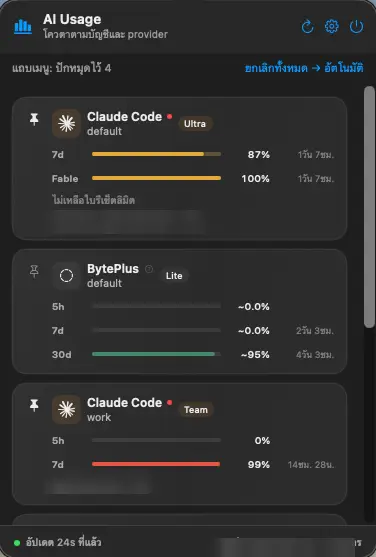
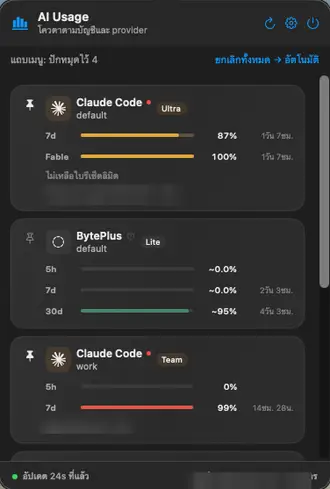
A macOS menu bar app that shows AI quota by account and by endpoint bucket. It reads mainly from local logs, so it doesn’t use model quota. Supports multiple Claude Code accounts, Codex, Muse, Qwen Cloud and GLM.

AIUsageAIUsage menu bar
AIUsage
RoleDeveloper · Swift + Python
Period2026
TypemacOS menu bar app
87commits
33test files
60supdate interval
AIUsageAIUsage menu bar
AIUsage
01 / 03

Menu bar

Two lines of text in the menu bar show your pinned quota buckets.

02 / 03

Popover

Details by account and quota bucket, with the time left until reset.

03 / 03

Alerts and settings

Alerts when a bucket reaches 80% and 95%. Show or hide buckets, and pick from 3 popover themes.

Architecture

Data flows one way

A Python engine parses local logs and writes snapshot.json every 60 seconds. The Swift side only reads.

Local logslocal logsPython engineai-usage.60s.pysnapshot.jsonApplication SupportMenu barNSStatusItemPopoverSwiftUI
01The engine reads local usage logs
02Python sums them into quota buckets per account
03Writes snapshot.json every 60 seconds
04The Swift app only reads, and shows it in the menu bar and popover

App02

Swift
SwiftUI + NSStatusItem
XcodeGen
project.yml

Engine01

Python
parse logs · write snapshot

Quality02

XCTest
10 app test files
unittest
23 engine test files

Distribution02

Homebrew
cask
GitHub Actions
ci.yml · release.yml
Next project · 05 / 05
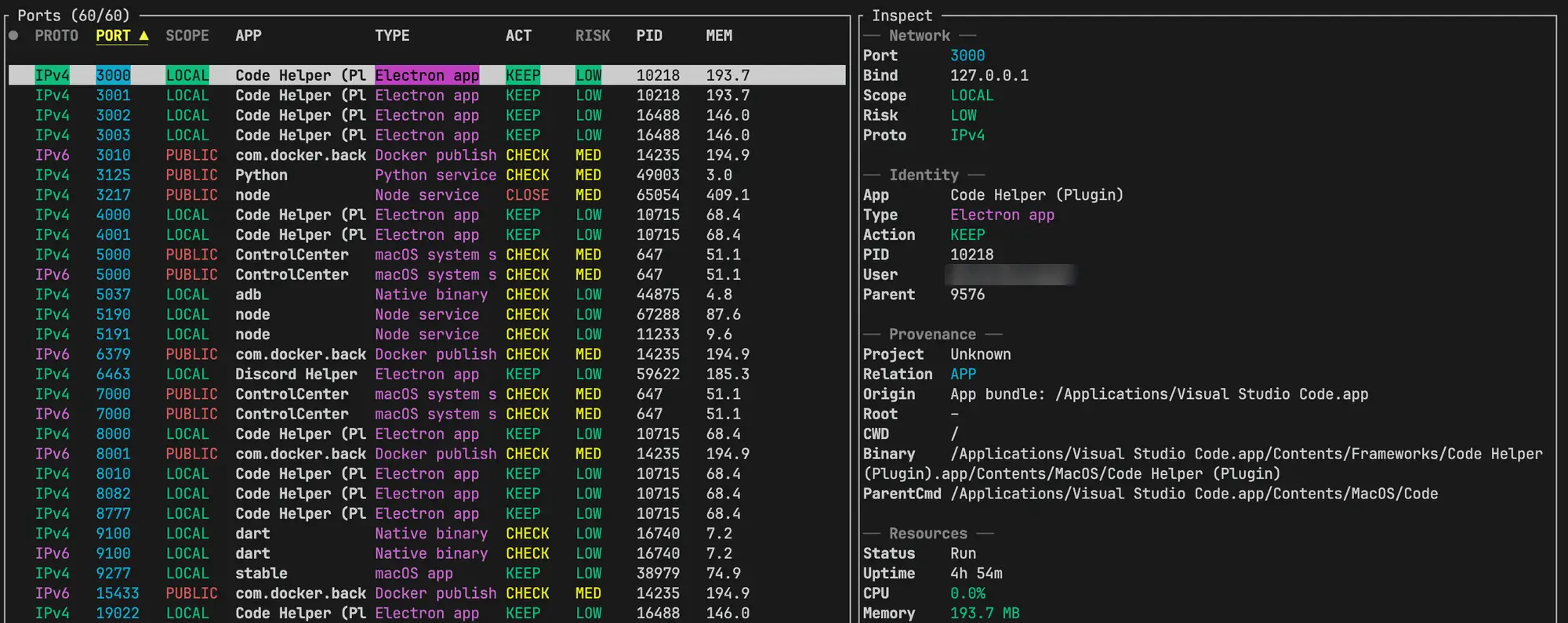
portman
“See and kill processes listening on TCP ports, from the terminal”