






portman

“See and kill processes listening on TCP ports, from the terminal”

A macOS TUI that lists processes listening on TCP ports, with exposure scope (localhost / LAN / public), risk level, runtime type and process origin. Kill them right from the table.

portman
RoleDeveloper · Rust
Period2026
TypeCLI · TUI · macOS
9commits
35unit tests
5sauto-refresh interval
portman
01 / 04

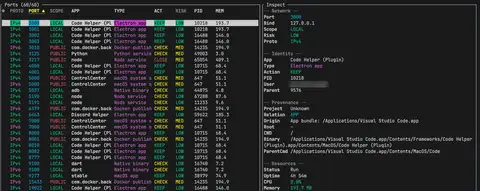
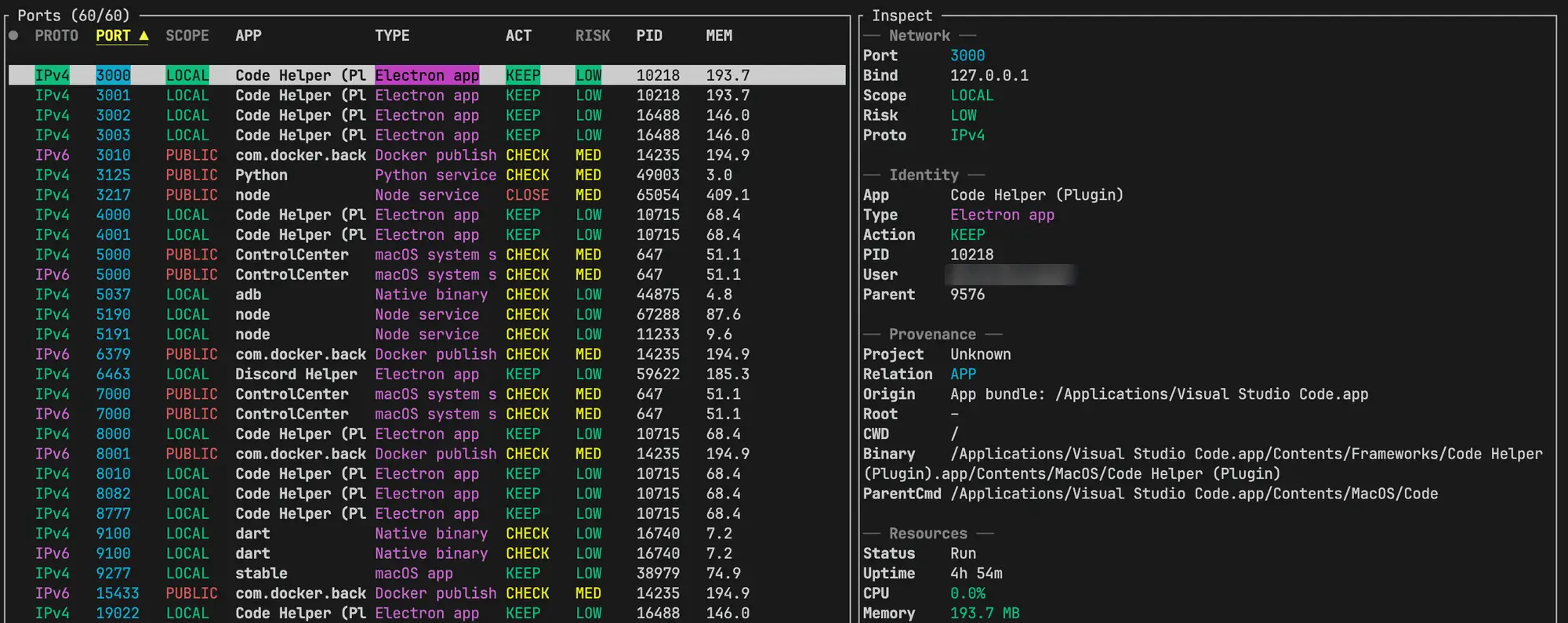
Ports table

Every port in LISTEN, with scope, app type, a recommendation (keep / inspect / close-if-unused), risk, PID and memory.

02 / 04

Inspect

Press Enter to see network, identity, provenance (binary, cwd, parent, project root) and resource details.

03 / 04

Mark, then kill

Space selects multiple rows, then K kills them together after you confirm. y / Y copies the port and the kill command.

04 / 04

--json

portman --json prints the same data as JSON and exits. You can filter by port.

Architecture

From lsof to the kill key

lsof finds ports in LISTEN, sysinfo adds process details, and the result goes to the TUI or is printed as JSON.

lsof-iTCP -sTCP:LISTENProcessScannersysinfo · riskTUIratatui · crossterm--jsonserde_json · stdoutActionskill · pbcopy
01lsof finds TCP ports in the LISTEN state
02sysinfo adds CPU / memory, then scope, risk and type are assessed
03Shown in the TUI or printed as JSON
04Kill the process or copy the command from the table

Core02

Rust
edition 2021
sysinfo
CPU · memory · process

TUI02

ratatui
table · inspect · help
crossterm
terminal backend

Output01

serde_json
--json

Distribution02

Homebrew
tap formula
GitHub
tags/releases → update notice
Next project · 01 / 05
mooz
“Creators share trips. Travelers copy and edit them right away.”